


Deep Work: The Essential Skill to Thrive in a Distracted World
In today’s world, overflowing with notifications, digital distractions, and constant multitasking, focus has become a rare commodity. Yet, it is precisely this resource that determines the quality of our intellectual work and our ability to learn.
Enter Deep Work, a concept popularized by Cal Newport, a computer science professor at Georgetown University, which has become indispensable for anyone seeking high productivity and meaningful results.
What Is Deep Work?
Deep Work is the practice of working in a state of intense concentration, free from distractions, on cognitively demanding tasks.
Cal Newport defines Deep Work as:
“Professional activities performed in a state of distraction-free concentration that push your cognitive capabilities to their limit.”
In simpler terms, Deep Work allows you to:
Learn faster
Produce higher-quality results
Solve complex problems
Achieve creative breakthroughs
In contrast, Shallow Work refers to easy, repetitive, or low-value tasks like answering emails, attending unnecessary meetings, or multitasking.
Why Is Deep Work Essential Today?
1. Digital Distractions Are Everywhere
Smartphones, social media, and messaging apps constantly fragment our attention. Sustained focus is rare — and therefore valuable.
2. Knowledge Work Is Growing
Modern careers in tech, AI, research, and creative industries demand high cognitive effort.
3. A Massive Competitive Advantage
Those who master Deep Work:
Learn faster
Solve problems better
Produce more in less time
Become indispensable in their fields (IT, AI, teaching, entrepreneurship…)
Cal Newport’s 4 Principles of Deep Work
1. Work Deeply
Create rituals to support focus:
Isolated workspace
Phone on airplane mode
Dedicated time blocks
Pre-work ritual (tea, breathing, setting an agenda)
2. Embrace Boredom
Concentration is a muscle. Train it by tolerating boredom:
Avoid constant scrolling
Take phone-free breaks
Practice short meditation sessions
3. Quit Social Media or Limit Use
Evaluate every tool:
“Does it provide more value than it costs?”
If not, reduce or remove it.
4. Minimize Shallow Work
Shallow tasks should be:
Scheduled
Compressed
Automated or delegated
How to Practice Deep Work: 5 Simple Steps
Pick ONE high-value task – focus on just one thing.
Block 45–120 minutes – start with 45 min and gradually increase.
Eliminate distractions – close tabs, turn off notifications, tidy your desk, put your phone out of sight.
Start a timer – the brain enters “deep mode” after 10–20 minutes.
Review the session – what did you produce? What did you learn? What can be improved?
4 Deep Work Styles (Choose What Works for You)
1. Monastic
Full isolation for entire days – ideal for researchers, writers.
2. Bimodal
Mornings for Deep Work; afternoons for lighter tasks.
3. Rhythmic
Same time daily (e.g., 9–11 a.m.) – most effective for professionals.
4. Journalistic
Dive into Deep Work whenever you get a free window – requires experience and discipline.
Benefits of Deep Work
Increased productivity – achieve in 2 hours what others take 6 hours to do.
Higher quality output – clearer, more precise, more creative work.
Reduced stress – deep focus fosters control and satisfaction.
Accelerated learning – crucial for AI, programming, engineering, languages, research, and entrepreneurship.
Career advantage – makes you more competent, reliable, fast, and sought-after.
How to Incorporate Deep Work Into Your Life
Define your priorities – what truly matters?
Schedule 1–2 Deep Work sessions per day
Reduce digital distractions
Create a focused environment
Use simple tools – Pomodoro timer, website blockers, Kanban boards, noise-canceling headphones
Track progress – hours of Deep Work, results produced, improvements needed
Conclusion: Deep Work Is the Skill of the Future
Deep Work is more than a productivity method; it’s a way of working.
In a world full of distractions, those who master deep, focused work gain:
Greater performance
Increased creativity
More freedom
Greater satisfaction
Deep Work is rare — and in the modern knowledge economy, rarity equals value.
WebGPU & WebAssembly
WebGPU and WebAssembly (Wasm) are the two technologies that make the modern web fast, GPU-accelerated, and capable of running AI models locally—something impossible just a few years ago.
1) WebGPU — The Next-Gen Graphics & Compute API
What is WebGPU?
WebGPU is the new GPU API for the browser, meant to replace WebGL. It works similarly to Vulkan, Metal, and DirectX 12, giving low-level access to the graphics card.
Why WebGPU matters in 2025
5–10× faster than WebGL
Native GPU compute (critical for AI models)
Can run LLMs and image models directly in the browser
Modern, clean API
Better security and performance tuning
What WebGPU is used for
Running AI models (LLMs, image generation, vision)
Real-time 3D graphics
Browser-based games
Medical/architectural 3D tools
Image/video processing
Scientific simulations
Browser support
Chrome
Edge
Safari ⚠partial
Firefox ⚠experimental
2) WebAssembly (Wasm) — Near-Native Performance on the Web
What is WebAssembly?
WebAssembly is a binary format that allows languages like C, C++, Rust, and Go to run in the browser at near-native speed, inside a secure sandbox.
It’s the key technology that allows heavy, native-style applications to run in browsers.
Why WebAssembly matters
Extremely fast execution
Memory-safe and sandboxed
Portable across all browsers
Works with multithreading
Ideal for AI, games, simulations, and heavy UI apps
Typical WebAssembly use cases
Game engines (Unity, Unreal)
AI inference engines (ONNX Runtime Web, WebLLM)
Video / photo editors
CAD and 3D modelling tools
Scientific computing
Python, Rust, or C++ running inside a website
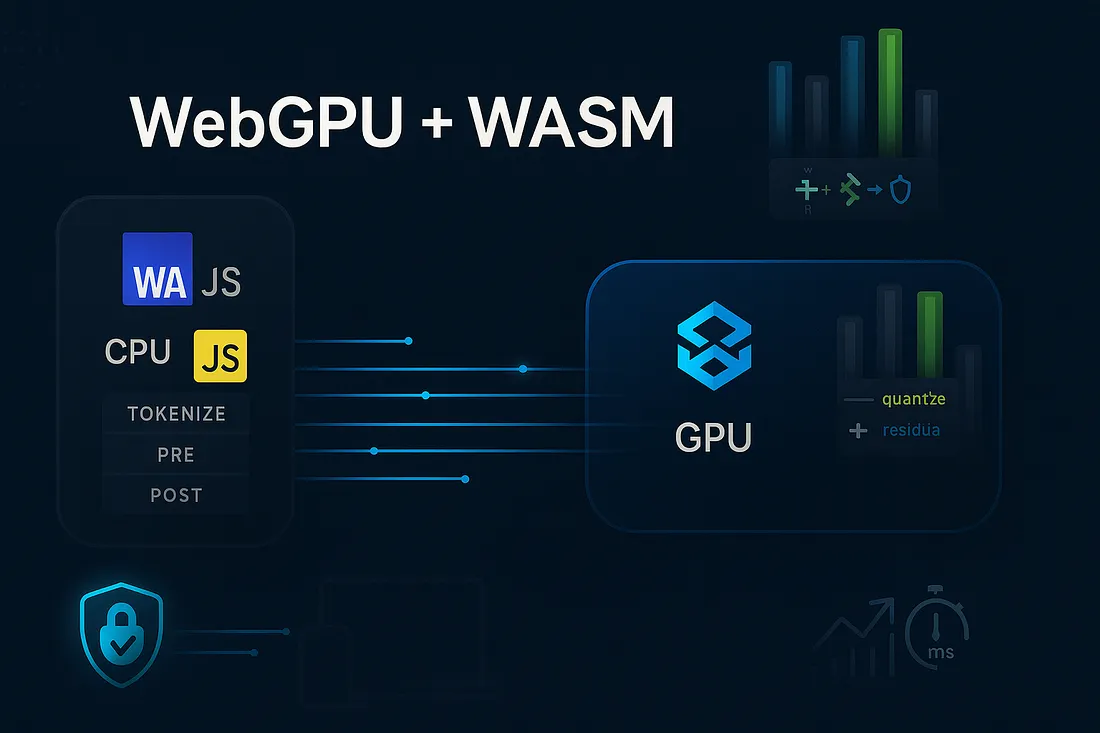
3) WebGPU + WebAssembly = High-Performance Web
Together, they enable native-level applications in the browser, without plugins.
WebAssembly handles:
Core logic
Heavy math
AI inference engines
Physics
Simulations
WebGPU handles:
Rendering
GPU shaders
Compute kernels
GPU acceleration for AI
Combined, they enable:
Stable Diffusion running entirely in the browser
Llama 3 or Mistral models on local GPU via WebGPU
Blender-like apps natively in Chrome
AAA-style browser games
Real-time video analysis + AI
Nothing to install. Everything runs in the browser.
4) WebGPU vs WebGL
Feature
WebGL
WebGPU
GPU compute
❌ No
✔ Yes
Performance
Moderate
Very high
Based on
OpenGL ES
Vulkan/Metal/DX12
AI support
❌
✔ GPU compute native
Future-proof
❌
✔ Modern API
WebGPU replaces WebGL for any high-performance use case.
5) WebAssembly + Rust = The Best Combo
Rust has become one of the most popular languages for WebAssembly workloads.
Why Rust + Wasm is so strong
Memory safe
Fast
Great tooling (wasm-bindgen, wasm-pack)
Perfect for multithreaded workloads
Works beautifully with WebGPU shaders and compute pipelines
In 2025, many AI inference engines are now written in Rust + WebGPU.
In Summary
WebGPU = next-gen GPU API → 3D + AI compute
WebAssembly = near-native execution in the browser
Together → they enable full-power applications directly in the browser, including AI models, games, editors, simulations, and more.
